Unlocking Developer Productivity: The Four Types of AI Coding Agents Explained
Introduction
Artificial intelligence is reshaping how developers write code. Among the most transformative innovations are AI coding agents—autonomous tools that can read your codebase, reason about logical changes, and execute actions on your behalf. Unlike standard chatbots that provide one-off answers, coding agents operate through a continuous loop of reading, reasoning, acting, and evaluating. To harness their full potential, it helps to understand the four primary workflow types: IDE agents, terminal agents, pull request agents, and cloud agents.
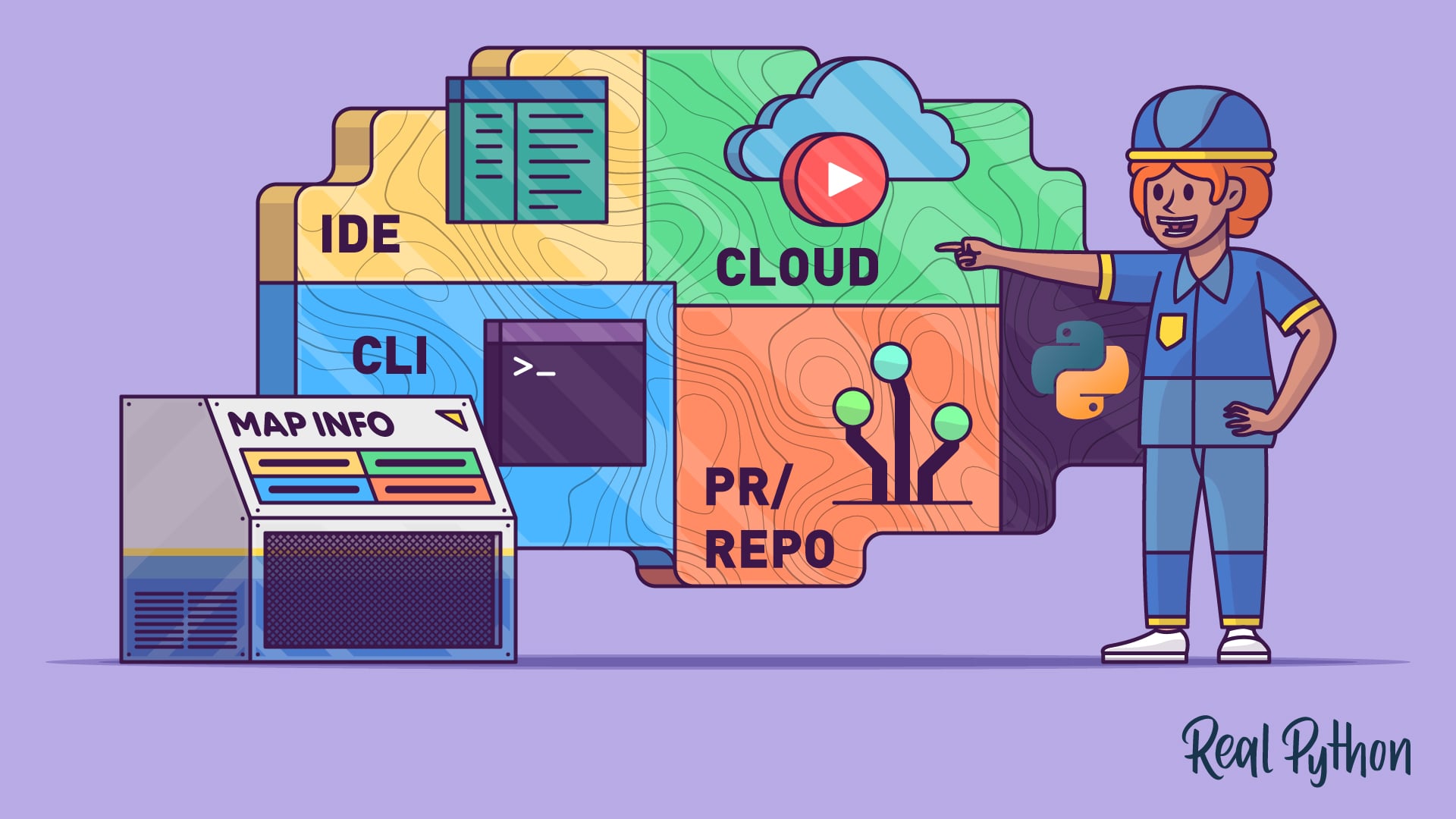
In this article, you’ll learn what makes a coding tool truly agentic, explore each workflow type in depth, and discover how to choose the right mode for your development scenarios. Whether you’re a solo developer or part of a large team, knowing these distinctions will help you integrate AI assistance more effectively and avoid common pitfalls.
What Makes a Coding Tool Agentic?
Before diving into the four workflows, it’s important to identify the core characteristic that separates AI coding agents from simpler predictive text tools. An agentic tool follows a structured loop that enables it to operate independently until the task is complete or control is returned to you. This loop consists of four steps:
- Read: The agent scans relevant files from your repository to build an understanding of the codebase.
- Reason: It determines the logical sequence of changes required to achieve your goal.
- Act: It executes those changes by editing files, running terminal commands, or calling external APIs.
- Evaluate: It checks the results of its actions to confirm progress or detect issues, then decides whether further work is needed.
This cycle repeats autonomously, bridging the gap between suggestion and execution. The fundamental loop stays the same regardless of the environment, but the environment itself shapes how you interact with the agent. That’s where the four workflow types come in.
The Four Workflow Types
The four workflow types describe the interaction mode between you and the AI coding agent. They don’t always map one‑to‑one with specific products—a single tool like Claude Code can operate across multiple environments. However, understanding each mode helps you pick the right approach for the task at hand.
1. IDE Agents
IDE agents live directly inside your code editor, such as Visual Studio Code or JetBrains. They work alongside you as you type, offering inline suggestions, refactoring support, and even autonomous edits across files. Because they are deeply integrated, you can highlight a section of code and ask the agent to explain, optimize, or rewrite it.
Common use cases include automated bug fixing, generating boilerplate code, and assisting with complex refactoring. The main advantage is real‑time collaboration—the agent sees your current context and can respond instantly. However, the tradeoff is that the agent’s suggestions can sometimes interrupt your flow or introduce changes that are hard to catch if you’re moving quickly.
2. Terminal Agents
Terminal agents operate in the command line, where you guide them step by step. You might describe a high‑level goal (e.g., “Add a login endpoint to the API”), and the agent will propose terminal commands or file edits for you to approve or modify. This interactive back‑and‑forth gives you tight control over each action.
These agents shine in scenarios that require precise execution, such as configuring build tools, running database migrations, or troubleshooting deployment scripts. The risk is that the iterative approval loop can slow down simple tasks. Yet for complex, multi‑step operations, the added oversight often prevents costly mistakes.
3. Pull Request Agents
Pull request (PR) agents work asynchronously on the code review process. They can analyze a proposed change, suggest improvements, detect potential bugs, and even auto‑resolve minor issues before a human reviewer looks at it. You typically set them up in your CI/CD pipeline or as a GitHub Action.

This workflow is ideal for teams that want to maintain code quality without manual overhead. A PR agent can enforce style guidelines, check for common security flaws, and provide a first pass of feedback. The tradeoff is a lack of real‑time interactivity—once the agent makes its recommendations, you need to decide whether to accept them. Over‑reliance on automated reviews might also overlook subtle logic errors that only a human can catch.
4. Cloud Agents
Cloud agents run in a managed environment, such as a remote server or a web‑based IDE. You offload a task (for example, “Refactor the entire authentication module”) and receive results later, often via a summary or a diff. These agents can handle resource‑intensive operations that would slow down your local machine, such as large‑scale code transformations or cross‑repository changes.
The main benefit is scalability—you can run multiple agents in parallel without impacting your local development setup. The downside is the reduced immediacy; you lose the back‑and‑forth interaction, and troubleshooting unexpected changes can be more cumbersome because you’re not directly involved in the execution loop.
How to Choose the Right Workflow for Your Task
Selecting between the four workflows depends on several factors:
- Speed vs. control: IDE and cloud agents offer speed, while terminal and PR agents give you more oversight.
- Task complexity: Simple, repetitive tasks (like adding comments) are well‑suited for IDE or cloud agents. Complex, multi‑step tasks (like refactoring a critical service) benefit from terminal or PR agent involvement.
- Team size: Solo developers may prefer IDE or terminal agents for immediate feedback. Larger teams often adopt PR agents to standardize code reviews and cloud agents for cross‑repository tasks.
- Risk tolerance: If mistakes could cause significant downtime, use terminal or PR agents that allow manual approval. For low‑risk experimentation, IDE or cloud agents are efficient.
Remember that many tools combine workflows. For example, an IDE agent can sometimes trigger terminal commands, and a cloud agent might report back via a PR comment. The key is to understand the interaction mode and choose the one that aligns with your current development scenario.
Conclusion
AI coding agents are already transforming developer productivity by automating the loop of reading, reasoning, acting, and evaluating. By mapping your needs to one of the four workflow types—IDE, terminal, PR, or cloud—you can integrate these agents with confidence. Experiment with different modes, pay attention to the tradeoffs, and you’ll soon find the right balance between autonomy and control for your projects.