Mastering JetStream 3: A Comprehensive Guide to Modern Browser Performance Benchmarking
Overview
Benchmark suites are essential tools for browser engine developers and web performance enthusiasts. They provide a standardized way to measure how well a browser handles real‑world workloads. JetStream 3.0, developed collaboratively by Apple, Google, and Mozilla, represents a major leap forward in benchmarking. It not only refreshes the workload set but fundamentally changes how WebAssembly (Wasm) performance is measured. This guide will walk you through everything you need to know to understand, run, and interpret JetStream 3 results.
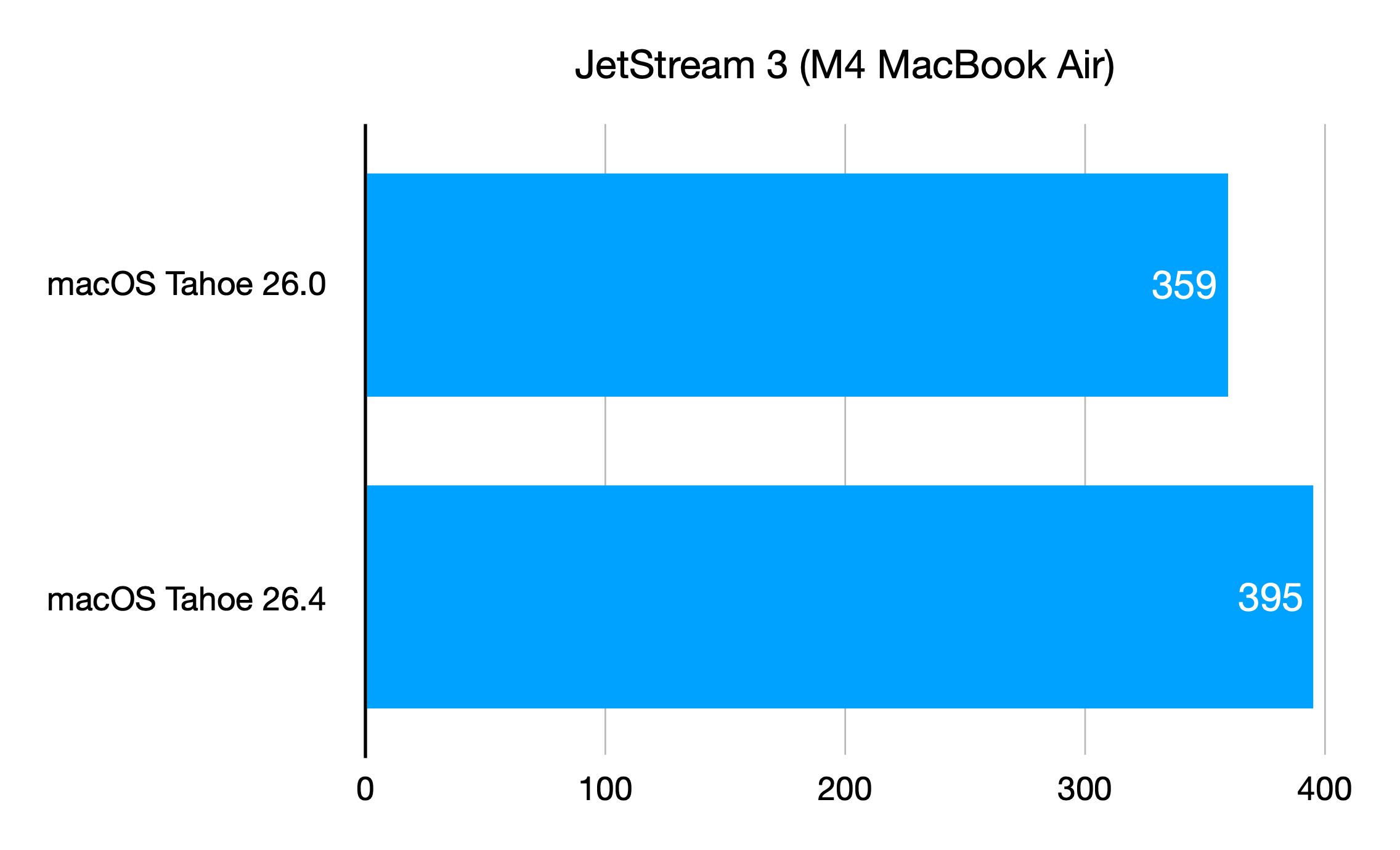
Whether you are a browser developer aiming to optimize your engine or a web developer curious about how your browser stacks up, this tutorial provides clear, actionable instructions. By the end, you will be able to confidently use JetStream 3 to evaluate browser performance and appreciate the engineering that makes modern web applications fast.
Prerequisites
Before diving in, make sure you have the following:
- A modern web browser (latest versions of Chrome, Firefox, Safari, or Edge). JetStream 3 is designed for browsers that support WebAssembly and modern JavaScript features.
- Basic familiarity with browser developer tools – you should know how to open the console and inspect network or performance tabs.
- An understanding of JavaScript and WebAssembly concepts (optional but helpful) – knowing what a module instantiation is will help you interpret the results.
- A stable internet connection – the benchmark is hosted online and loads several test files.
Step‑by‑Step Instructions
Step 1: Access the JetStream 3 Benchmark
Open your browser of choice and navigate to the official JetStream 3 landing page (https://browserbench.org/JetStream3/). You will see a simple interface with a large “Start” button. Make sure no other heavy applications are running to avoid skewing results.
Step 2: Run the Benchmark
Click the Start button. The benchmark will sequentially run a series of subtests covering JavaScript and WebAssembly workloads. Each subtest measures execution time, memory usage, or throughput. The entire run may take 5–10 minutes depending on your system. Do not interact with the page during the test – background tabs or clicks can interfere.
Step 3: Interpret the Results
When the benchmark completes, you will see a results page. The overall score is a geometric mean of subtest scores. Higher is better. Each subtest shows a separate score (e.g., 5000 = infinite in old JetStream 2). Pay attention to the WebAssembly subtests – they are now scored without separating startup and runtime phases. The “Wasm” score reflects the total time to compile, instantiate, and execute the module. If a score appears as “Infinity” (or a very high number like 5000), it indicates near‑zero startup time – a sign your engine is exceptionally efficient.
Step 4: Understand the WebAssembly Improvements
JetStream 3 addresses a critical flaw in its predecessor – the “infinity problem.” In JetStream 2, WebAssembly startup times could become so low (sub‑millisecond) that the scoring formula Score = 5000 / Time produced infinite scores. The benchmark had to clamp the score to 5000. JetStream 3 eliminates this by using high‑resolution timers (performance.now()) and redesigning the scoring to avoid division by zero. It also includes realistic Wasm workloads that reflect modern usage: image decoders, UI frameworks, and cryptographic libraries. To investigate, open the browser’s developer console and examine the performance timeline during a Wasm subtest. You will see compilation, instantiation, and execution phases in detail.
Step 5: Compare with JetStream 2
If you have previously run JetStream 2, compare scores side‑by‑side. Note that JetStream 3 scores are not directly comparable due to different weighting and new tests. However, you can look at the relative performance across browsers. Use the following approach:
- Run JetStream 3 on Browser A and Browser B.
- Record the overall score and individual subtest scores.
- Run JetStream 2 on the same browsers and record those scores.
- Calculate the percentage improvement from 2 to 3 for each browser.
This will show which engine has improved more in the areas targeted by JetStream 3, especially WebAssembly.
Common Mistakes
- Ignoring system load – Running benchmarks while other CPU‑intensive tasks are active (video encoding, games, heavy IDE) will produce unreliable results. Always close such applications.
- Comparing JetStream 2 and 3 scores directly – The two versions use different formulas and test suites. A score of 100 in JetStream 3 does not equal 100 in JetStream 2. Use percentage improvements or relative rankings.
- Misinterpreting “Infinity” or very high scores – In JetStream 3, a score near 5000 usually means the engine executed a subtest in under 1 millisecond. That is not an error – it indicates excellent optimization.
- Not testing with multiple browsers – One browser’s score alone gives limited insight. Always test at least two different engines (e.g., Safari vs. Chrome) to understand performance differences.
- Assuming zero startup time is always good – In microbenchmarks, near‑zero startup can be an artifact of caching or lazy compilation. Real‑world applications may have different characteristics. Consider complementing JetStream 3 with other benchmarks like Speedometer or MotionMark.
Summary
JetStream 3 is a thoughtfully modernized benchmark suite that solves the old ‘infinity problem’ by redesigning WebAssembly measurement with high‑resolution timers. It presents realistic workloads that reflect today’s web, from JavaScript frameworks to Wasm‑based libraries. By following the steps in this guide – accessing the benchmark, running it cleanly, interpreting the results, and avoiding common pitfalls – you can effectively gauge browser performance. Use JetStream 3 as part of a broader testing strategy to understand how your browser handles the demands of modern web applications.